
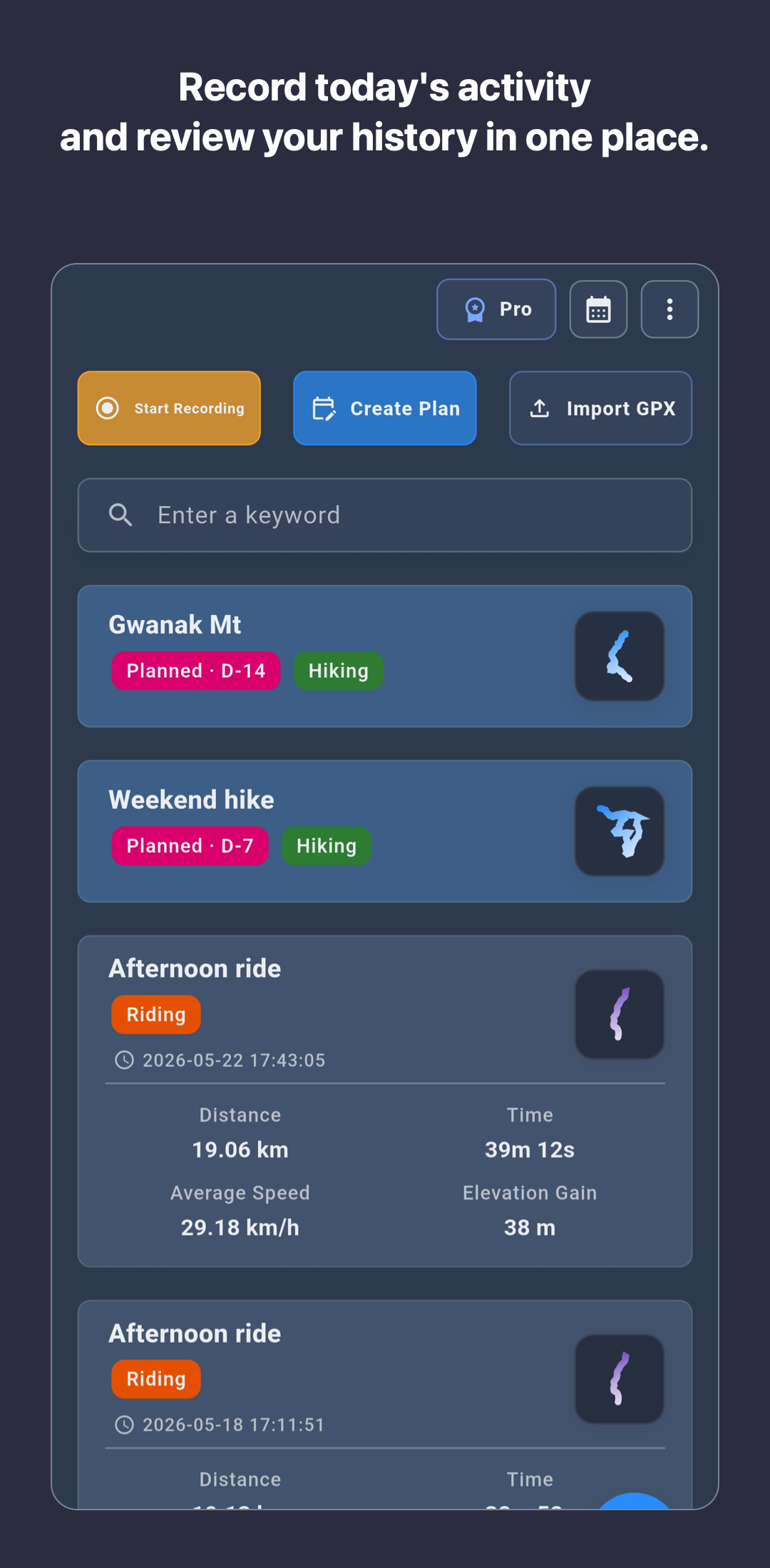
Check whether each activity keeps its map, distance, time, elevation, speed or pace, and notes together for later review.
How to choose a hiking app
Recording a route matters, but so does understanding a completed hike and preparing for the next one. Compare map and elevation review, GPX workflows, data storage, offline preparation, and important limitations.


Four questions to answer before choosing
The right hiking app depends on how you record, review, and prepare for outdoor conditions.
Look for a clear path from importing a planned route to viewing it separately from live GPS recording and exporting the completed activity.
Compare account-first cloud synchronization with device-first storage where the user explicitly chooses when to back up.
Test map preparation, battery use, and location accuracy on the actual device. Treat emergency response and live location sharing as separate requirements.
What RouteTracker covers for hiking
RouteTracker focuses on personal route records and reviewing completed activities.
| Hiking task | What RouteTracker provides | Tier |
|---|---|---|
| Route recording and review | Record hikes and review each completed activity with its map, distance, time, elevation, speed or pace, and calendar history. | Basic |
| GPX import and export | Import a GPX route as a reference, record the actual activity, and export the completed record as a GPX file. | Basic |
| Device-first records | Start core tracking without account sign-up and keep activity history on the device unless backup is chosen. | Basic |
| Backup and attachments | Back up and restore activity snapshots in the connected Google Drive account and attach files to activities. | Plus · Pro |
| Planning and analysis | Use route planning, advanced maps, nearby offline cache, segment comparisons, and reference insights from on-device Local AI. | Pro |
A practical hike workflow
- Before leaving, check location permission and battery settings, then prepare a GPX route and offline cache when needed.
- Run a short test recording to confirm that the route appears correctly on the current device in the current environment.
- Finish the hike normally, verify the saved map and core metrics, and add notes while the details are fresh.
- Export important activities as GPX files and, on Plus or Pro, choose a Google Drive snapshot backup.
Where RouteTracker fits
- You want a personal history of hikes with maps, elevation, distance, time, and notes.
- You want to import reference GPX routes and keep the resulting recorded activities as GPX files.
- You prefer to start recording on the device and decide about backup later.
- You want hiking, walking, cycling, and running history in one activity library.
When to compare another app category
Dedicated trail navigation: If detailed trail databases, off-route alerts, or turn guidance are the priority, compare coverage and offline behavior in specialized navigation apps.
Social competition: If public feeds, clubs, leaderboards, and challenges drive your use, also review community-first services.
Safety and sharing: If you require emergency response or live family location sharing, verify a dedicated safety service and its communication coverage. RouteTracker is not an emergency or safety-guarantee service.
Important limitations
Outdoor recording quality and safety cannot be guaranteed by app features alone.
Accuracy and battery use vary with the device, power settings, terrain, weather, and satellite reception. Test with a short outing before an important hike.
Pro nearby offline cache is a preparation feature. Confirm that the required area is actually available before leaving connectivity.
Device records that were never backed up may be lost after phone loss, app removal, or storage damage. Keep separate GPX copies of important activities.
Frequently asked questions
Key boundaries to review when considering RouteTracker as a hiking app.
Who is RouteTracker a good hiking app for?
It fits hikers who want to record routes and review completed hikes with maps, distance, time, elevation, GPX files, and notes. It focuses on personal activity history and preparation for the next outing.
Where are hiking records stored by default?
Activity records stay on the device until the user chooses backup. Plus and Pro users can create manual or configured automatic snapshot backups in the Google Drive account they connect.
Does importing a GPX route guarantee navigation?
No. An imported GPX is a reference route and remains separate from the live GPS record. Verify trail conditions, closures, connectivity, and safety information independently.
Can RouteTracker replace a medical or emergency app?
No. RouteTracker is an activity route recorder, not a medical device, emergency response service, or safety guarantee.