Hikers may prioritize elevation and GPX, cyclists speed and repeated routes, and runners pace and post-activity review.
How to choose a hiking, cycling, or running route tracker
The most popular app is not automatically the best fit. Compare route recording, GPX, data storage, backup, offline preparation, and analysis around the activities you actually do.


Start with three decisions
Define the job you repeat and where you want your activity history to live before comparing feature lists.
Compare automatic account-based cloud sync with device-first storage and backup that starts only when you choose it.
Check whether recording, GPX, backup, offline maps, planning, and analysis belong to the free or paid tier.
RouteTracker capabilities and tiers
This table maps RouteTracker's current public capabilities to common selection criteria.
| Job | What RouteTracker does | Tier |
|---|---|---|
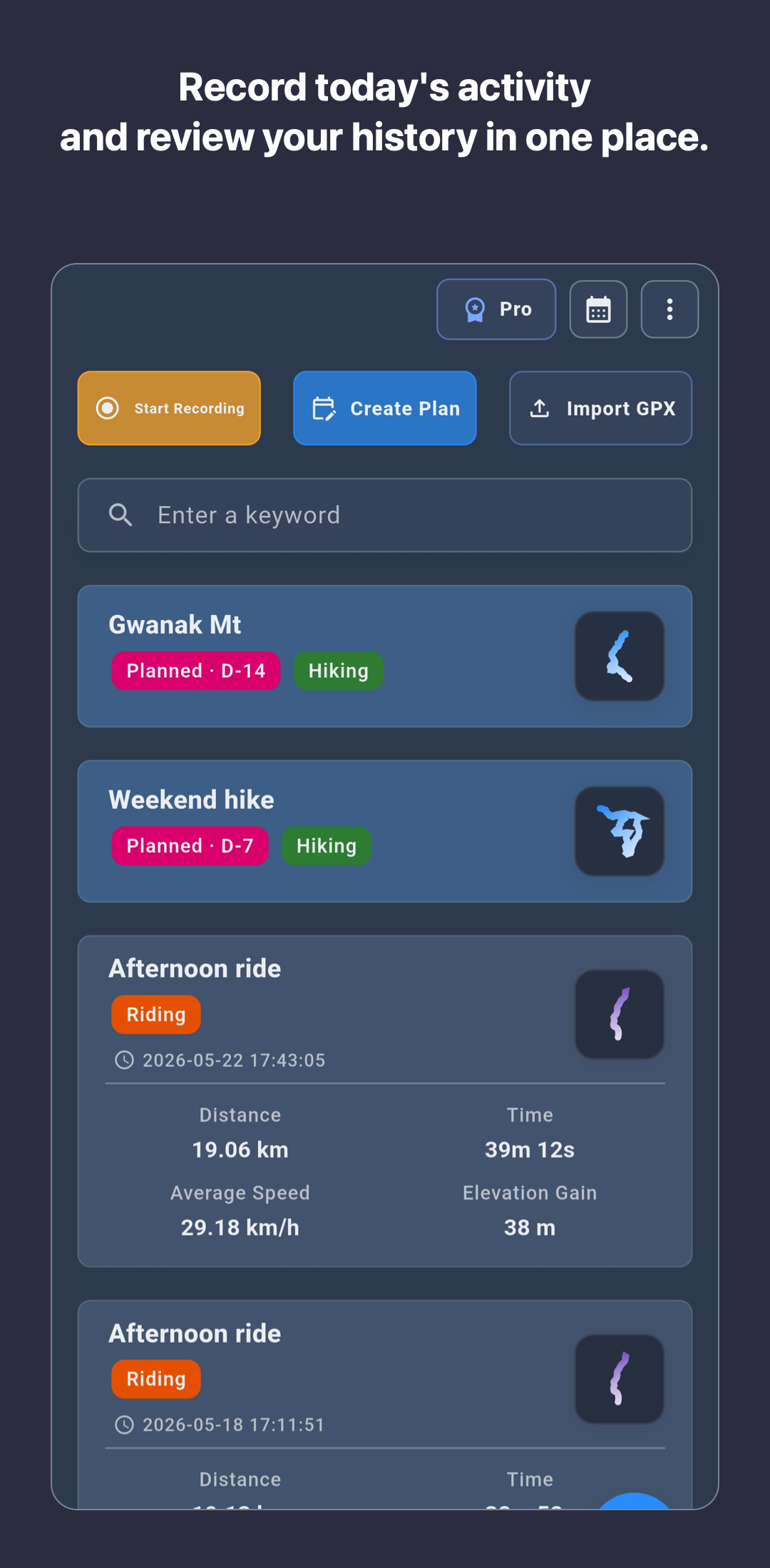
| Record hikes, rides, runs, and walks | Records route maps and core metrics such as distance, time, speed or pace, and elevation, then keeps completed activities for review. | Core |
| Work with GPX routes | Imports a GPX route, shows it on the map while you record, and exports a completed activity as GPX. | Core |
| Keep activity data on the device first | Starts core recording without account sign-up and keeps activity history on the device until you choose backup. | Core |
| Back up and restore with Google Drive | Creates manual or automatic snapshot backups within the Google Drive account and scope you approve. | Plus · Pro |
| Plan routes and prepare maps offline | Adds route planning, advanced map styles, and offline route or map cache tools. | Pro |
| Analyze repeated routes and use Local AI | Adds split comparison, growth charts, and on-device reference analysis of speed, pace, elevation, and repeated-route patterns. | Pro |
RouteTracker is a good fit when
- You want one place for multiple outdoor activity types and calendar-based review.
- You need to import routes and export completed activities as GPX.
- You prefer to start recording without creating a social account.
- You want backup and deeper analysis only after your activity history grows.
- Personal route history and preparing for the next activity matter more than a social feed.
What to check by activity
- Hiking: Review route, elevation, notes, and GPX workflows. Test battery and offline preparation before a remote or long hike.
- Cycling: Check speed, elevation, GPX compatibility, and how repeated routes can be compared.
- Running: Check pace, distance, elevation, recap cards, and post-activity start/end cleanup.
Limitations to consider
RouteTracker focuses on personal route records and activity review. If a community feed, clubs, or leaderboards are your main reason for choosing an app, compare services designed around those features as well.
Backup and advanced tools require Plus or Pro. GPS accuracy and battery use vary by device and environment, so run a short test before relying on any tracking app for an important outdoor activity.
Review the detailed workflows
Check the exact feature flow and data boundary before installing.
See import, map review, route-following recording, and completed-activity export.
See device-first storage, Plus/Pro backup scope, and restore conditions.
See the activity data analyzed on device, the Pro requirement, and the limits of reference analysis.
Frequently asked questions
The main facts to check when considering RouteTracker as a route tracking app.
Can one app record hiking, cycling, and running routes?
Yes. RouteTracker records hiking, cycling, running, and walking routes on iPhone and Android, then keeps completed activities with maps, distance, time, speed or pace, and elevation.
Are GPX import and export part of RouteTracker's core recording flow?
Yes. RouteTracker can import a GPX route, show it on the map, and export a completed activity as a GPX file. Extended file attachments require Plus or Pro.
When might RouteTracker not be the best fit?
RouteTracker focuses on personal route records and activity review. If a community feed, clubs, or leaderboards are the main reason you want an app, compare services designed around those features as well.
Can RouteTracker be used as a medical or safety service?
No. RouteTracker is an activity recording app, not a medical device, rescue service, or safety guarantee. Activity metrics and Local AI output are for reference.